
RA Physicians require access to different resources and diagnostic aids in their practice. Many of these resources available only on stationary workstations or printed medical references, which do not support the need for mobility in clinical settings. One of the main goals for creating the Rheumatoid Arthritis Management and Reference Guide app was to address the need for mobility so physicians can have instant access to clinical decision-making tools and a wellspring of information at their fingertips: on smartphones and tablets.
The challenge of this app design was to convert the updated ACR/EULAR Classification Criteria For Rheumatoid Arthritis algorithm into a comprehensive and easy-to-use app that helps physicians to determine a RA disease diagnosis, select treatment and management, and have access to reference and information to better decision-making.
- Support clinical decision-making at the point of care
- Ensure that alternative diagnoses are not overlooked
- Access to the latest clinical diagnosis algorithm for RA
- Easy access to relevant information sources
- Online and offline functionality
- Supported devices: smartphone and tablet
I was a solo UX/product designer and I was leading the entire UX/UI design process. I worked closely with a project manager.
An external agency provided development an implementation based on provided UX specs and visual assets.
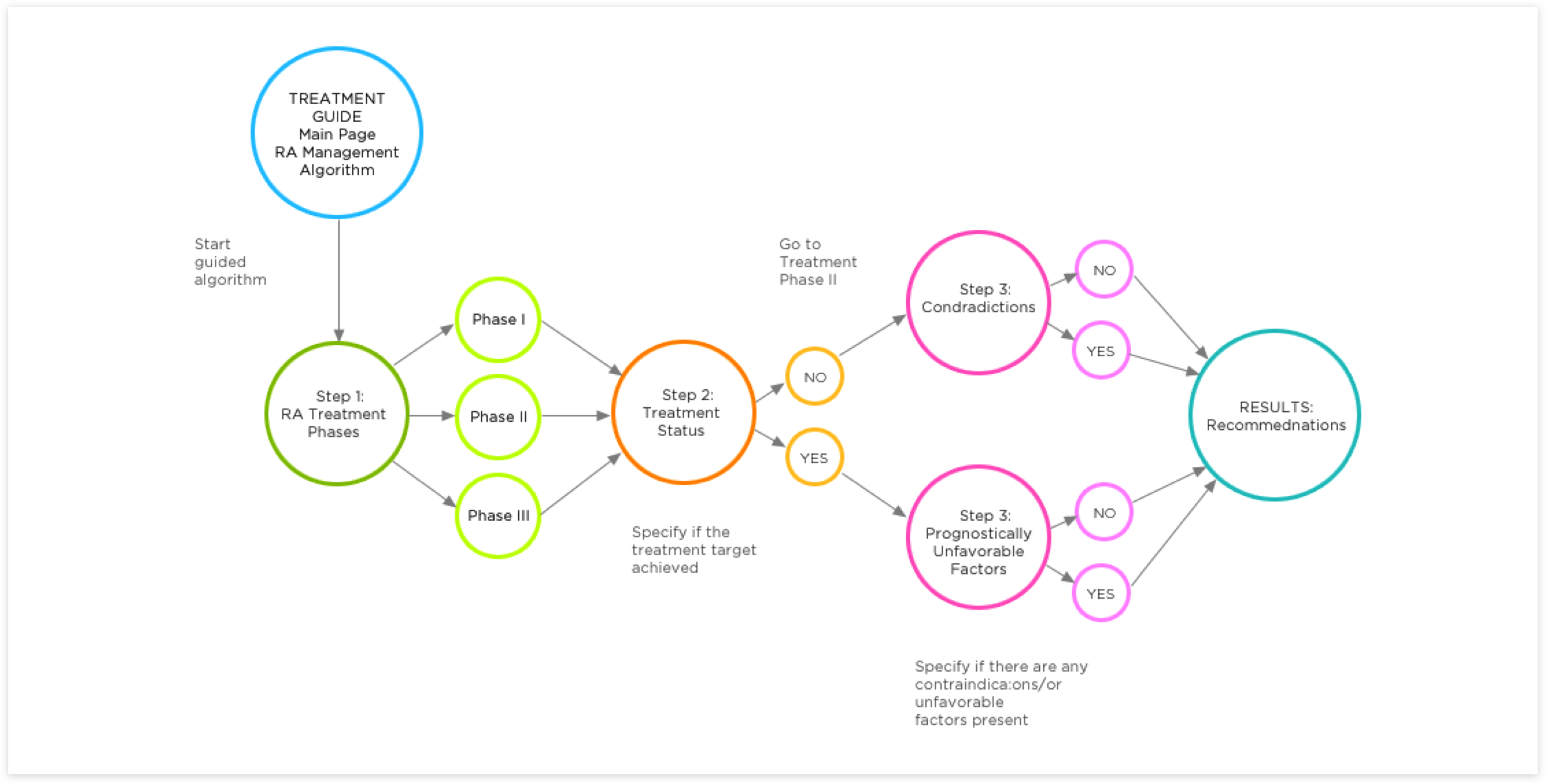
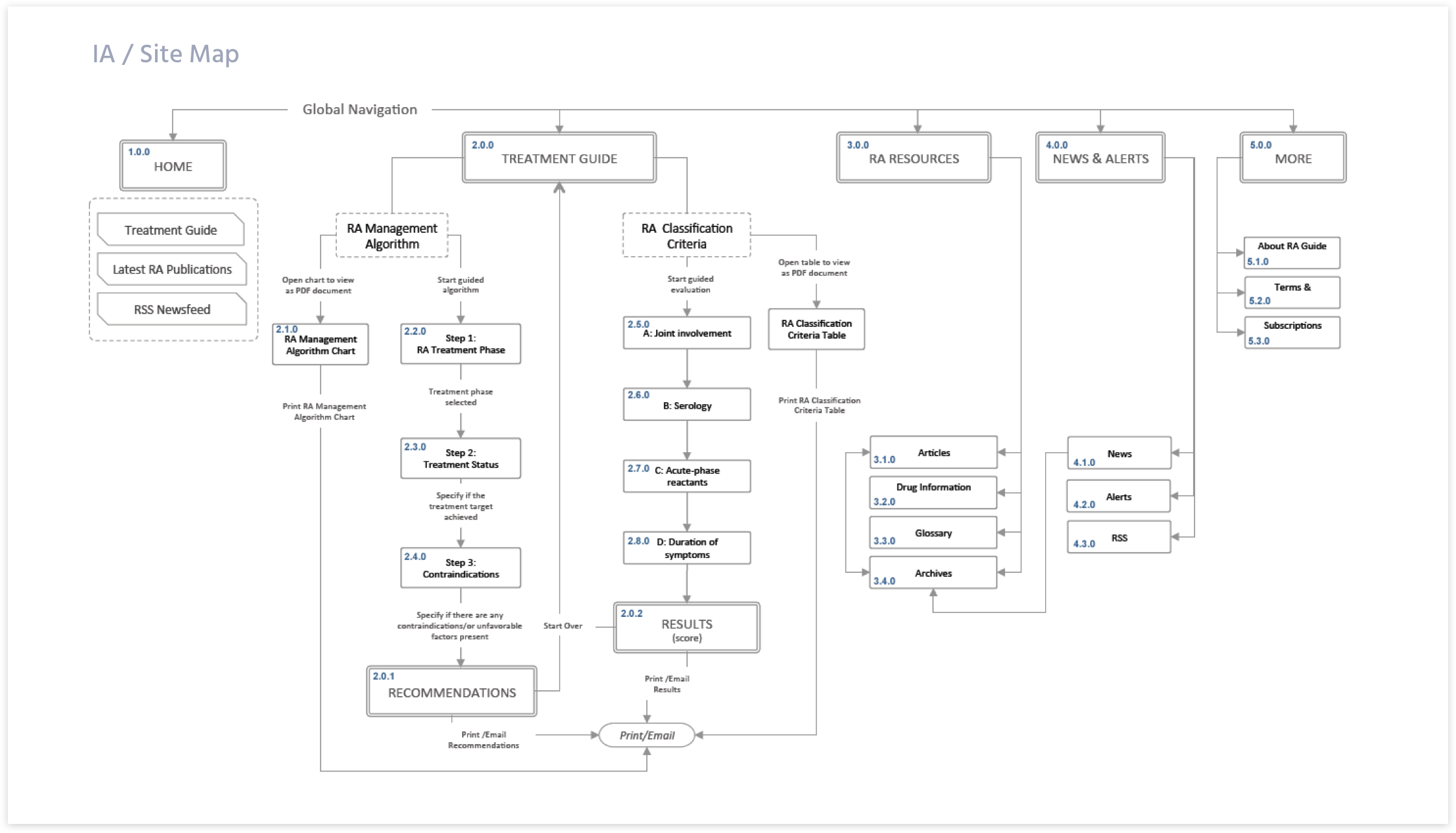
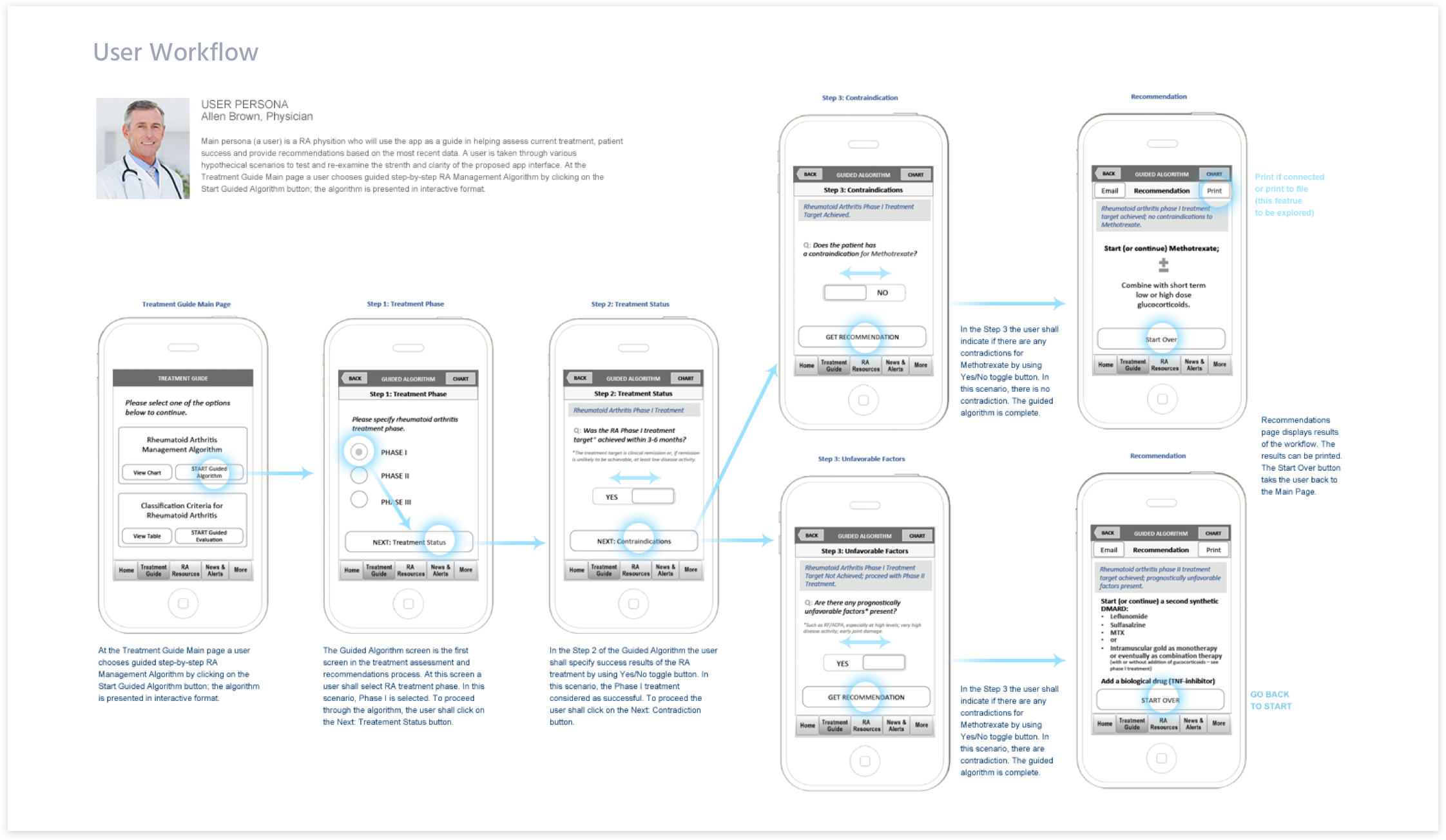
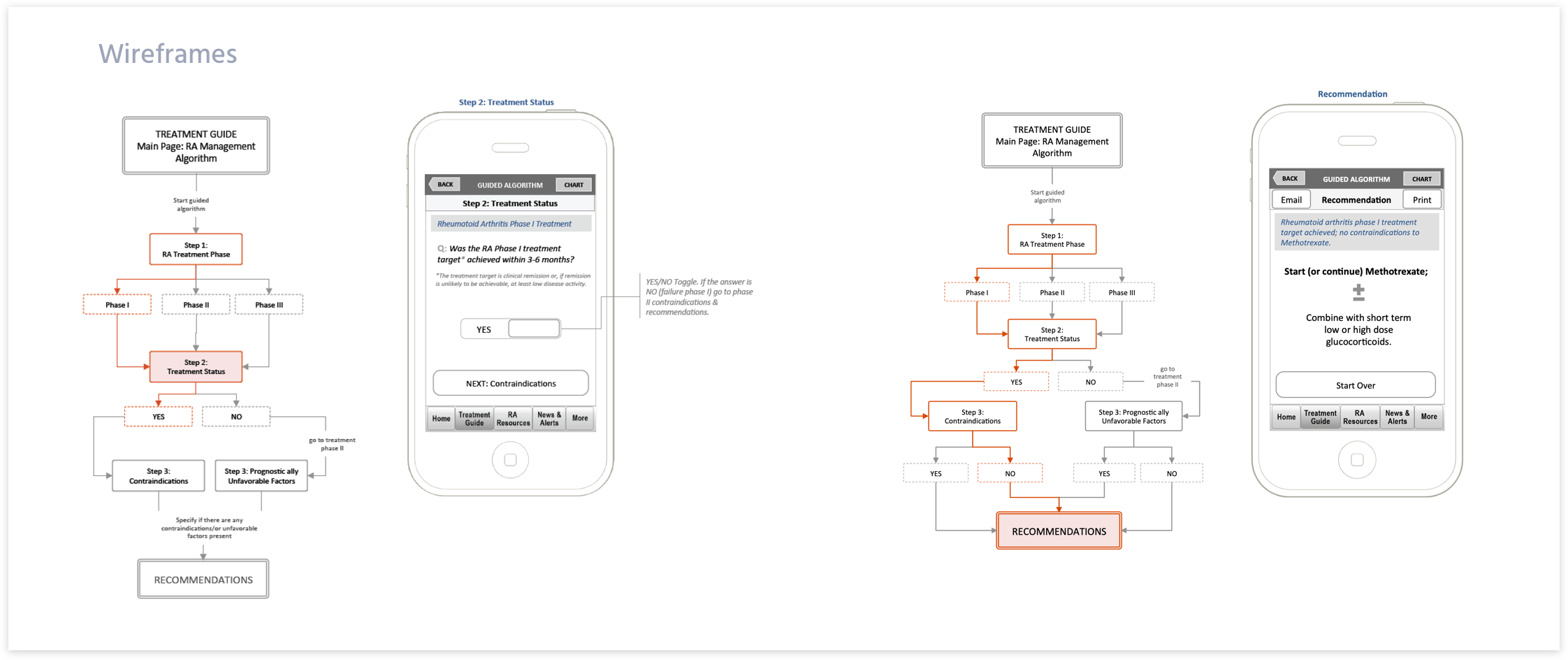
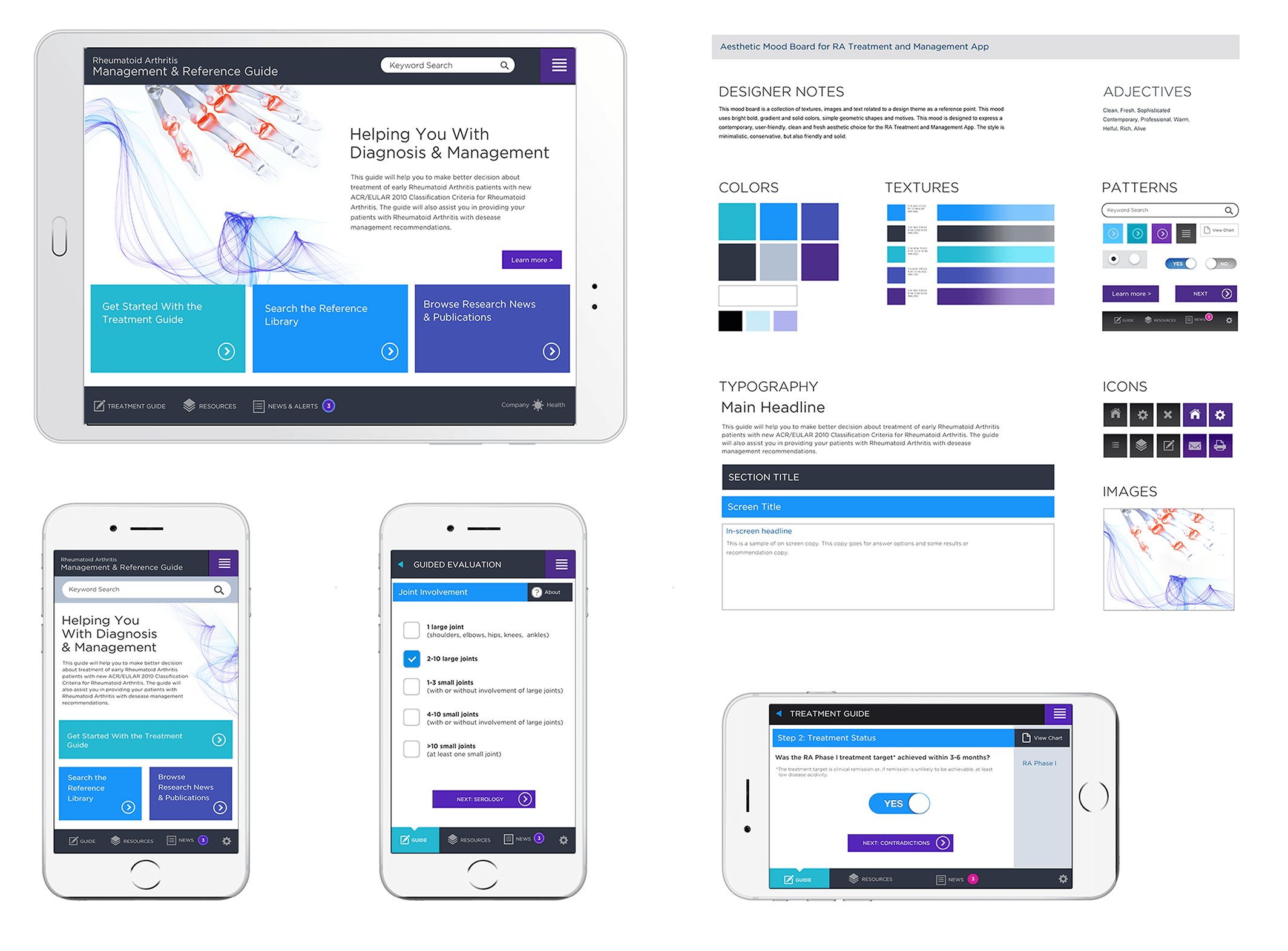
The app helped doctors to have quick access to the latest diagnostic algorithm and quickly find the information they need. Using a mobile app in clinical practice gives portability, rapid access to up-to-date resources, and reduce the risk of the wrong diagnosis.
- You are not designing for you. Design is a service. Always remember: you are designing for the audience. When considering a feature or interaction, check with yourself: does this feature meet your user needs, or do you just like it?
- Interactive and click-through prototypes are great for communicating the app functionality, demonstrating the task flow, and illustrating overall UI/UX. The prototype is also great for gathering feedback and explaining UX requirements to developers who are building the app.
- Involving the developers during the UI design process and getting their feedback throughout is an important factor for success. Sharing mockups with a developer can help to clarify any implementation challenges early in the process and prevent any rework during the development phase.
