The main objective of the new HR Resource Learning & Development intranet was to become a one-stop online platform that helped HR managers to respond more quickly and effectively to employees’ needs by providing easy access to information and resources, identifying employee development opportunities, creating instructional experiences for the classroom and online teaching, tracking training progress, and improving collaboration inside and outside of the organization.
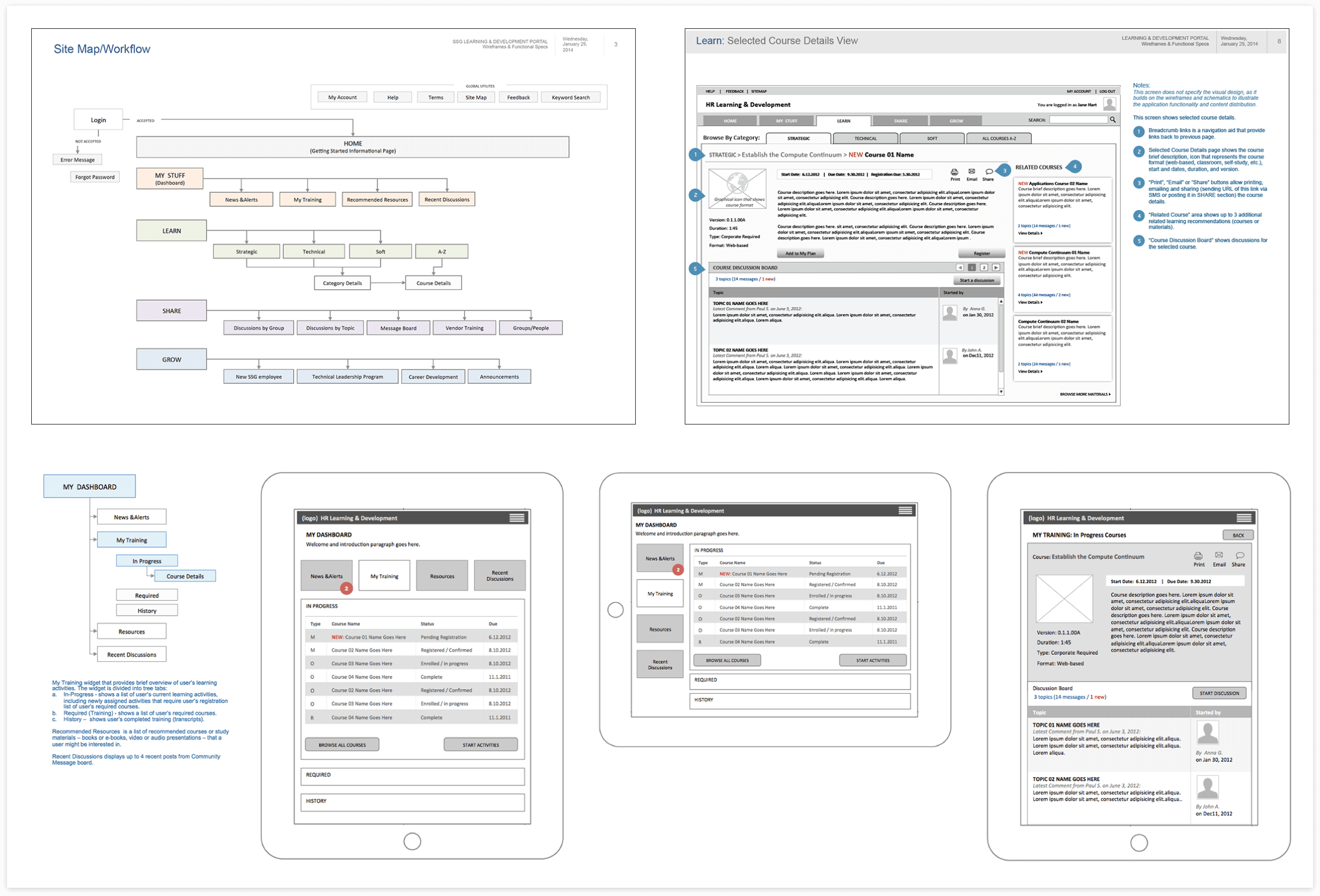
The challenge was to combine several existing training sites, rework and optimize information architecture, and create one global integrated, user-friendly, and collaboration platform.
- Consolidate three existing platforms into one
- Allow access to training from any device
- Create, launch and track training program
- Improve employee engagement
- Enhance employee collaboration
- Measure and analyze training results easily
My role was UX/Product Designer and I was leading the entire UX design process. I worked closely with a project manager, a UX researcher, and a UI designer.
Our team collaborated with an external agency that provided development service.
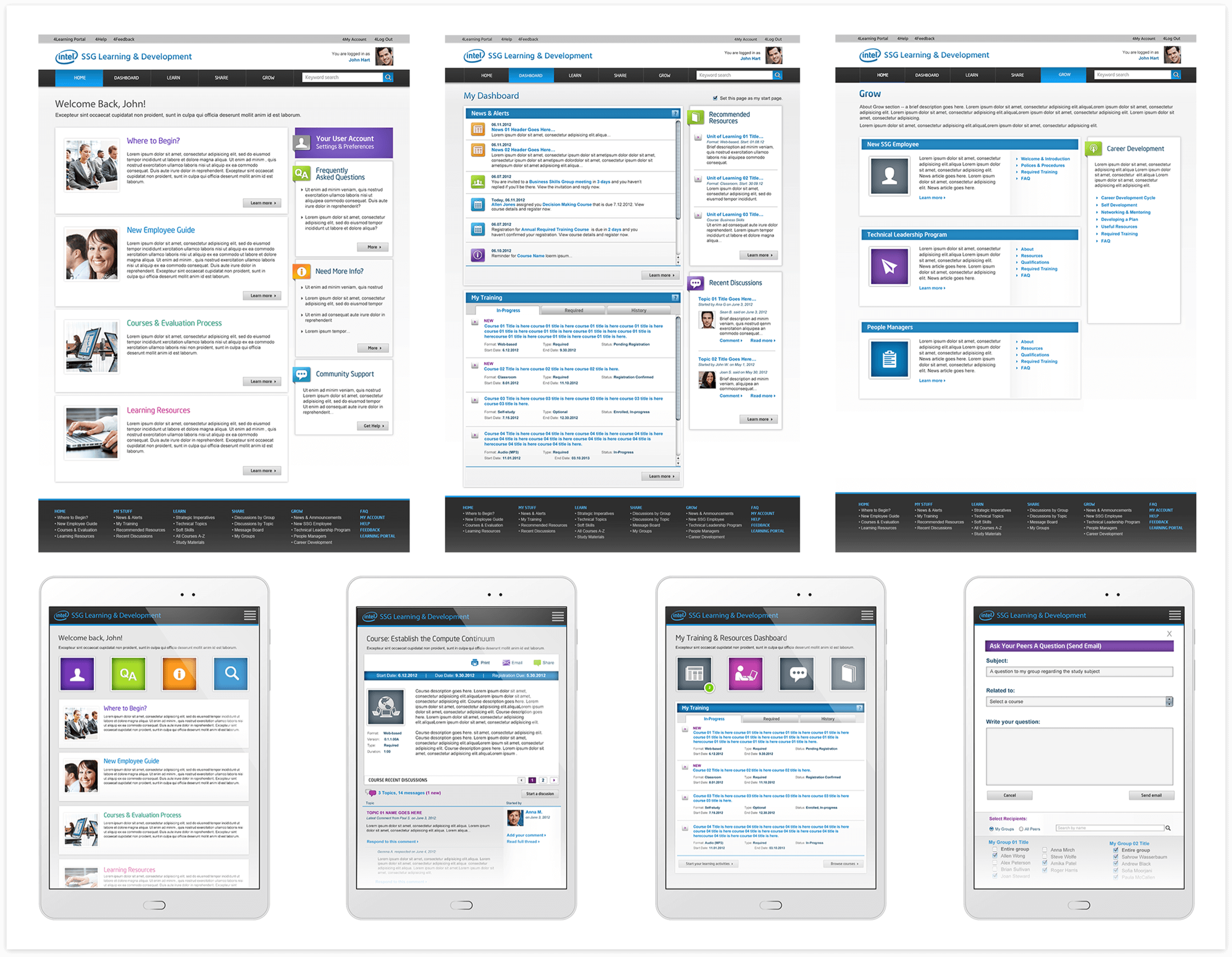
The improved user experience of the new integrated HR Learning and Development platform made it easier for employees to use interactive, self-paced learning to achieve their career goals.
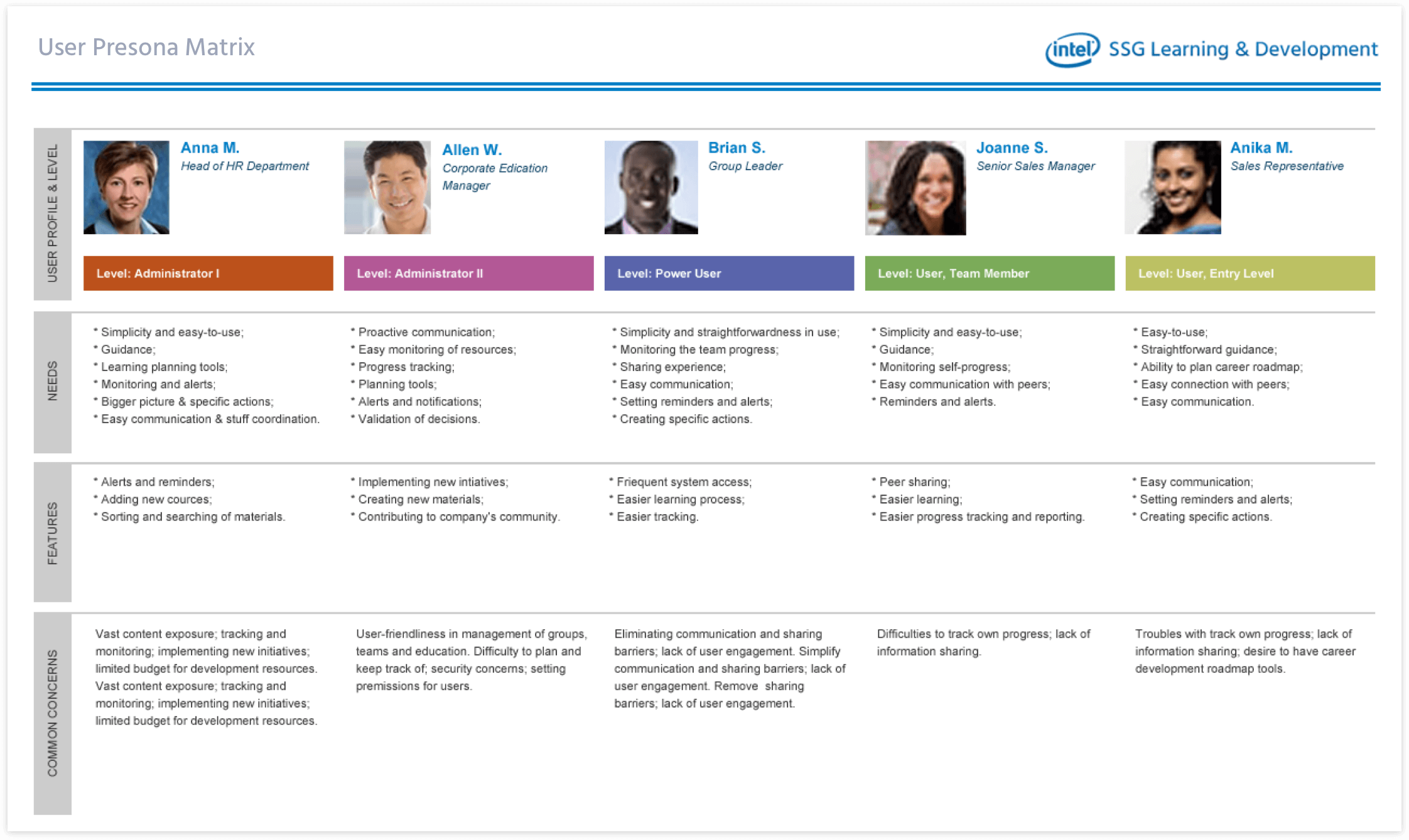
- Creating personas is critical to the UX process and ROI. Personas help to create a shared understanding of user goals and preferences and help you effectively communicate to stakeholders and everyone on the team what’s important to the users.
- The key to successful handoff from design to developers is a shared understanding of the goals and desired outcome of the project. Explaining the rationale behind the design decisions and sharing with the developers the UX research data helps the project built to run smoothly.
